Let’s be honest—how many times have you opened Instagram or Facebook with absolutely no idea what to post? You stare at that blank caption box, scroll through your camera roll hoping for inspiration, and eventually either post something mediocre or just close the app entirely.
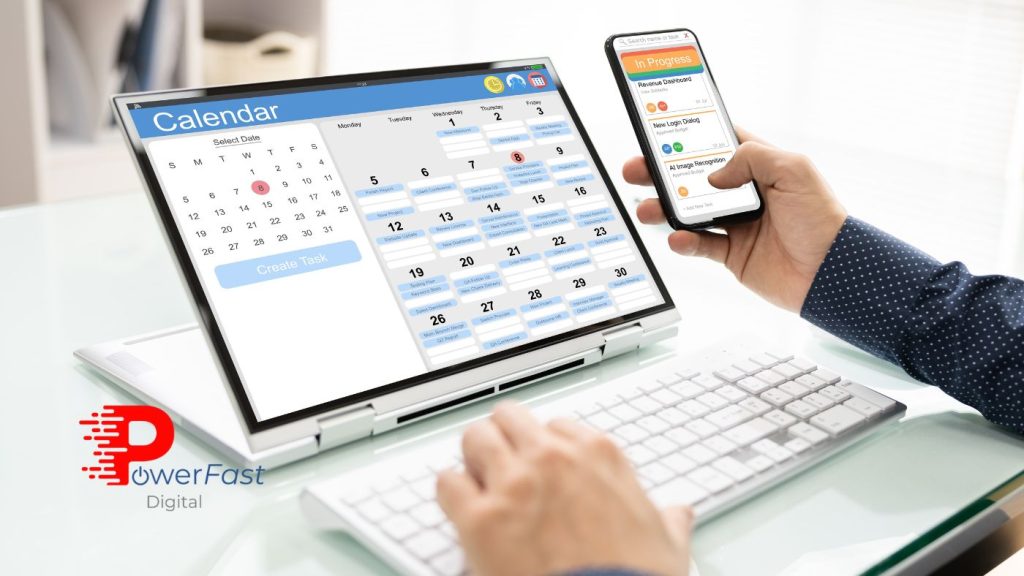
If this sounds familiar, you’re not alone. Most small business owners struggle with consistent social media posting, not because they lack creativity, but because they lack a system. That’s where a social media content calendar becomes your secret weapon.
But here’s the thing: not all content calendars are created equal. I’ve seen plenty of elaborate spreadsheets and fancy planning tools that look impressive but never actually get used. After managing social media for dozens of small businesses (including growing one therapy practice’s Instagram by 70% in just a few months), I’ve learned what separates content calendars that work from those that gather digital dust.
In this comprehensive guide, I’ll walk you through creating a social media content calendar that’s actually sustainable for your small business—one that helps you post consistently, engage authentically, and achieve measurable results without burning out.
Why Most Content Calendars Fail (And How Yours Won’t)
Before we dive into the how-to, let’s talk about why so many content calendars fail. Understanding these pitfalls will help you avoid them from the start.
The Perfectionism Trap: Many business owners create incredibly detailed content calendars with every post perfectly crafted weeks in advance. Then life happens, priorities shift, or a trending topic emerges—and suddenly the entire calendar feels irrelevant. They abandon the system entirely rather than adapting it.
The Overcommitment Problem: You decide you’re going to post daily on Instagram, Facebook, LinkedIn, and TikTok. That’s 28 posts per week. Within two weeks, you’re exhausted and resentful of social media entirely.
The Disconnection Issue: Your content calendar lives in a complex project management tool that requires three clicks and a password reset just to access. The friction is so high that you never actually reference it when it’s time to post.
A content calendar that actually works is flexible, realistic, and accessible. It’s a tool that serves you, not a rigid schedule that stresses you out.
Step 1: Start With Your Business Goals (Not Posting Frequency)
Most guides tell you to start by deciding how often you’ll post. That’s backward. Your social media content calendar should support specific business objectives, not just fill empty spaces on your feed.
Define What Success Looks Like
Before planning a single post, get crystal clear on what you’re trying to achieve:
- Brand Awareness: Are you trying to reach new potential customers who don’t know you exist yet?
- Community Building: Do you want to deepen relationships with existing customers and create loyal advocates?
- Lead Generation: Is your priority driving people to your website, booking calls, or capturing email addresses?
- Sales Conversion: Are you focused on directly selling products or services through social platforms?
- Customer Education: Do you need to help customers understand how to use your products or services effectively?
Your goals will dictate everything else—which platforms you prioritize, what types of content you create, and how you measure success. For example, if lead generation is your primary goal, your content calendar should include regular calls-to-action directing people to landing pages or contact forms. If community building matters most, you’ll prioritize engagement-focused content and responses to comments.
Choose Your Metrics
According to Sprout Social, the most common mistake businesses make is tracking vanity metrics like follower count instead of metrics that actually matter for their goals. Decide upfront which metrics you’ll track:
- Engagement rate (likes, comments, shares relative to follower count)
- Website traffic from social media
- Lead generation (form submissions, downloads, bookings)
- Conversion rate from social visitors
- Reach and impressions for brand awareness campaigns
- Customer service metrics (response time, resolution rate)
Knowing your metrics influences your content mix. If engagement rate matters most, you’ll plan more question-based posts, polls, and conversation starters rather than pure promotional content.
Step 2: Audit Your Current Social Media Reality
Before building your new system, take an honest look at where you are right now. This reality check prevents you from creating an unrealistic calendar that sets you up for failure.
Platform Assessment
List every social media platform where your business has a presence. For each one, honestly assess:
- Activity Level: When was the last time you posted? How consistent have you been?
- Audience Size: How many followers or connections do you have?
- Engagement Quality: Do people actually interact with your content, or is it crickets?
- Time Investment: How much time do you currently spend on this platform weekly?
- Results Connection: Has this platform generated any tangible business results?
This audit often reveals surprising insights. You might discover that LinkedIn generates most of your actual leads despite Instagram having more followers. Or you might realize you’re spending hours on a platform that produces zero business value.
Content Performance Analysis
Look at your last 20-30 posts across all platforms. Which ones performed best? Look for patterns:
- Content types (video, carousel, single image, text-only)
- Topics (educational, behind-the-scenes, customer stories, promotional)
- Posting times (morning, afternoon, evening, weekends)
- Tone (professional, casual, humorous, inspirational)
Tools like Meta Business Suite provide built-in analytics that make this analysis much easier. Don’t just look at likes—examine saves, shares, and comments, which indicate deeper engagement.
Step 3: Design Your Content Pillar Framework
This is where most small business content calendars either become brilliant or boring. Content pillars are the 3-5 core themes that organize everything you post, ensuring variety while maintaining strategic focus.
Choosing Your Content Pillars
Your pillars should align with your business goals and audience interests. Here’s a framework that works well for most small businesses:
Educational Content (40%): Share your expertise through tips, how-tos, industry insights, and answering common questions. This positions you as an authority and provides genuine value that keeps people following you.
Community & Engagement Content (25%): Polls, questions, user-generated content, challenges, and conversation starters that prioritize two-way interaction over broadcasting.
Behind-the-Scenes & Brand Story Content (20%): Humanize your business by sharing your team, process, values, and journey. People connect with people, not just products.
Promotional Content (10%): Yes, only 10%. Direct sales messages, special offers, and product features. This content works because you’ve earned attention with the other 90%.
Curated & Trending Content (5%): Industry news, relevant holidays, trending topics, and content from complementary brands that your audience would appreciate.
These percentages aren’t rigid rules—they’re starting points. A B2B consulting firm might lean heavier into educational content, while a retail shop might increase promotional content during peak seasons.
Example Content Pillars for Different Industries
For a therapy practice:
- Mental health education and coping strategies (40%)
- Community questions and stigma-breaking conversations (25%)
- Therapist insights and practice behind-the-scenes (20%)
- Appointment availability and service offerings (10%)
- Mental health awareness days and relevant observances (5%)
For a landscaping company:
- Lawn care tips and seasonal maintenance advice (40%)
- Before/after transformations and customer spotlights (25%)
- Equipment, process, and team introductions (20%)
- Seasonal promotions and service offerings (10%)
- Weather updates and sustainability trends (5%)
Step 4: Choose Your Calendar Tool (Keep It Simple)
You don’t need expensive software to create an effective content calendar. You need a system you’ll actually use consistently.
Option 1: Google Sheets (Free & Flexible)
For most small businesses, a well-organized Google Sheet is perfect. Create columns for:
- Date and time
- Platform
- Content pillar
- Post caption/copy
- Visual asset description or link
- Hashtags
- Link (if applicable)
- Status (planned, drafted, scheduled, published)
- Performance notes
The beauty of Google Sheets is accessibility—you can access it from anywhere, share it with team members, and customize it infinitely. Google offers free templates that provide excellent starting points.
Option 2: Trello or Asana (Visual Kanban Style)
If you’re visual, Trello or Asana’s board view works beautifully. Create columns for each week or month, then add cards for each post. You can attach images, write captions, assign tasks, and move cards through stages (idea → drafted → scheduled → published).
Option 3: Social Media Management Platforms
Tools like Later, Buffer, or Hootsuite combine calendar planning with scheduling functionality. They’re worth the investment if you’re posting frequently across multiple platforms, but they’re overkill if you’re just getting started.
My Recommendation: Start with Google Sheets for your first 90 days. Once you’ve proven you’ll stick with planning, upgrade to a paid tool if needed. Most businesses find free options work perfectly fine.
Step 5: Batch Your Content Creation Process
Here’s a game-changing truth: you don’t create content on the day you post it. Successful social media management happens in batches, dramatically reducing the time and mental energy required.
The Monthly Planning Session (2-3 Hours)
Once a month, block off focused time to plan your entire content calendar. During this session:
- Review last month’s performance: What worked? What flopped? Any insights to apply?
- Identify key dates: Holidays, industry events, product launches, promotions
- Brainstorm content ideas: Use your content pillars to generate 4-6 ideas per pillar
- Map content to your calendar: Distribute ideas strategically throughout the month
- Identify content gaps: Where do you need more variety or balance?
This planning session doesn’t mean writing every caption—it means deciding what you’ll post and when, creating a roadmap for execution.
The Weekly Content Creation Session (2-4 Hours)
Each week, dedicate a focused block to creating next week’s content:
- Write all captions: Draft copy for all posts at once while you’re in writing mode
- Create or gather visuals: Take photos, design graphics, or curate images
- Schedule posts: Load everything into your scheduling tool
- Prepare engagement responses: Pre-write responses to common comments or questions
Batching is exponentially more efficient than switching between planning, creating, and posting modes multiple times daily.
The Daily Engagement Time (15-30 Minutes)
Reserve separate time for engagement—responding to comments, engaging with other accounts, monitoring messages. This can’t be batched because authentic engagement requires real-time presence.
Step 6: Build Your Realistic Posting Schedule
Now that you have goals, pillars, and a tool, it’s time to decide when and where you’ll post. Remember: consistency beats frequency every single time.
Platform-Specific Considerations
Instagram: 3-5 posts per week works well for most small businesses, with daily Stories if you can sustain them. Instagram’s algorithm in 2026 prioritizes engagement over frequency, so quality matters more than quantity.
Facebook: 3-4 posts per week is sufficient. Facebook users expect less frequent, more substantial content compared to Instagram’s visual feed.
LinkedIn: 2-3 posts per week is ideal. LinkedIn rewards thoughtful, professional content over high-frequency posting.
TikTok: If you’re on TikTok, 3-7 posts per week keeps you relevant. The platform rewards consistency and trend participation.
Twitter/X: This platform still values frequency—daily posting maintains visibility, but you can achieve this with simpler, shorter content.
Creating Your Weekly Rhythm
Establish a predictable rhythm so both you and your audience know what to expect:
Monday: Educational tip or how-to post (high engagement potential as people start their week)
Wednesday: Behind-the-scenes or team spotlight (mid-week human interest content)
Friday: Community engagement post like a question or poll (people are more relaxed and interactive)
This rhythm makes planning easier and helps your audience anticipate and look forward to certain content types on specific days.
Step 7: Write Captions That Convert
Your visual might stop the scroll, but your caption drives action. Here’s how to write captions that work within your content calendar framework.
The Hook-Value-CTA Formula
Hook (First Line): Your opening sentence must grab attention immediately. Ask a provocative question, make a bold statement, or lead with the benefit.
Value (Body): Deliver on the promise of your hook. Provide the tip, tell the story, share the insight. Break longer captions into short paragraphs for readability.
CTA (Call-to-Action): Tell people exactly what to do next. “Save this for later,” “Share your experience in the comments,” “Link in bio to learn more,” or “Tag someone who needs to hear this.”
Caption Length Strategy
Short captions (1-2 sentences) work best for:
- Visually powerful posts that speak for themselves
- Quick announcements or updates
- Engagement prompts like polls or questions
Long captions (100+ words) work best for:
- Educational content with step-by-step instructions
- Storytelling and behind-the-scenes narratives
- Thought leadership and industry commentary
Vary your caption length across your content calendar to maintain feed diversity and match content type to message complexity.
Hashtag Strategy in 2026
Instagram’s algorithm has evolved significantly. The current best practice is using 5 highly relevant hashtags rather than the maximum 30. Research from Later shows that posts with 5-9 targeted hashtags perform better than those with 20+ generic ones.
Choose hashtags with:
- 10k-500k posts (sweet spot for discoverability without getting lost)
- Strong relevance to your content and audience
- A mix of industry terms and niche-specific phrases
- Potential to appear in your ideal customer’s searches
Step 8: Leverage AI and Automation (Without Losing Authenticity)
Here’s where things get interesting. In 2026, AI tools can dramatically streamline your content calendar process—but only if used strategically.
AI for Idea Generation
Tools like ChatGPT or Claude can help you brainstorm content ideas when you’re stuck. Try prompts like:
“Generate 10 social media post ideas for a [your industry] business focused on [your content pillar], targeted at [your audience].”
Use these as starting points, not finished products. AI gives you the raw material; you add the personality and authenticity.
AI for Caption Refinement
Draft your captions yourself, then use AI to:
- Suggest stronger hooks
- Improve clarity and flow
- Generate variations for A/B testing
- Optimize for different platform character limits
What NOT to Automate
Never automate:
- Responses to comments and messages (people can tell, and it damages trust)
- Engagement with other accounts (authentic community building requires human presence)
- Crisis communication or sensitive topics
- Content that requires real-time awareness of current events
The goal is using AI to handle repetitive tasks so you have more time for authentic human connection—not to replace human connection entirely.
Step 9: Schedule Strategically (But Stay Flexible)
Your content calendar should guide you, not imprison you. Here’s how to schedule effectively while maintaining agility.
Scheduling Best Practices
Schedule routine content: Educational tips, behind-the-scenes content, and planned promotions can be scheduled in advance with confidence.
Leave flexibility slots: Reserve 20-30% of your posting slots for real-time content—trending topics, timely responses, spontaneous moments, or pivots based on performance.
Build in review time: Schedule content 24 hours before it posts so you can review with fresh eyes and ensure relevance.
Prepare backup content: Have 3-5 evergreen posts ready to deploy if something unexpected prevents you from creating planned content.
When to Abandon Your Calendar
Sometimes the best strategy is ignoring your plan. Abandon your scheduled content when:
- Breaking news or major events make your planned content tone-deaf
- A customer experience (positive or negative) deserves immediate attention
- A trending topic perfectly aligns with your expertise and audience
- You have genuinely exciting news to share right now
Your content calendar exists to reduce stress and improve consistency, not to restrict your ability to be human and responsive.
Step 10: Track, Analyze, and Refine Monthly
A content calendar that actually works is one that evolves based on performance data. Here’s how to close the loop with meaningful analysis.
Monthly Performance Review
On the last Friday of each month, spend 30 minutes reviewing:
Quantitative Metrics:
- Which posts had the highest engagement rate?
- Which content pillars performed best overall?
- What posting times generated the most reach?
- Did any posts drive website traffic or conversions?
Qualitative Observations:
- What kinds of comments did different posts receive?
- Which topics sparked genuine conversation vs. generic “nice!” comments?
- What questions did followers ask that suggest future content needs?
- How did you feel about creating and posting different content types?
Refinement Questions
Based on your review, ask yourself:
- Should I adjust my content pillar percentages based on what’s working?
- Are there content types I’m forcing that consistently underperform?
- Am I posting on platforms that don’t generate meaningful results?
- Can I reduce posting frequency somewhere to improve quality elsewhere?
- What performed well that I should do more of next month?
Update your content calendar template and strategy based on these insights. A calendar that worked in January might need adjustments by April as your audience grows and algorithms evolve.
Common Content Calendar Mistakes to Avoid
Even with a solid system, these pitfalls can derail your social media consistency:
Mistake #1: No Buffer Time: Creating content the day before it posts leaves no room for life happening. Build at least a week of buffer between creation and posting.
Mistake #2: Neglecting Engagement: A content calendar manages posting, but social media success requires engagement. Schedule time for community interaction separately from posting time.
Mistake #3: Platform Duplication: Posting identical content across all platforms ignores each platform’s unique culture and expectations. Adapt your content to fit each platform’s norms.
Mistake #4: Ignoring Analytics: A calendar without performance tracking is just busy work. You must measure results to know what’s worth repeating.
Mistake #5: Perfectionism Paralysis: Waiting until every post is perfect means you’ll never post consistently. Done is better than perfect when it comes to social media.
Your Action Plan: Getting Started This Week
Ready to build your content calendar? Here’s your step-by-step action plan:
This Week:
- Define your primary social media goal
- Conduct your platform and content audit
- Choose your 3-5 content pillars
- Select your calendar tool and set up your template
Next Week:
- Plan your posting frequency and weekly rhythm
- Schedule your monthly planning session
- Batch create content for your first two weeks
- Schedule your first week of posts
Ongoing:
- Daily engagement time (15-30 minutes)
- Weekly content creation session (2-4 hours)
- Monthly planning and review session (2-3 hours)
- Quarterly strategy refinement based on performance
The Bottom Line: Consistency Compounds
Here’s what I’ve learned from managing social media for businesses across industries: the specific tool you use matters far less than having a system you’ll actually follow. A simple Google Sheet you reference daily beats the most sophisticated software you ignore.
Your social media content calendar isn’t about rigid perfection—it’s about sustainable consistency. It’s about removing the daily stress of “what should I post?” and replacing it with a strategic roadmap that guides your efforts while staying flexible enough to adapt.
Start simple. Choose one or two platforms. Plan one month ahead. Batch your creation. Track what works. Refine and repeat.
The businesses winning on social media in 2026 aren’t necessarily the ones with the biggest budgets or the most followers. They’re the ones showing up consistently with valuable, authentic content that serves their audience and supports their business goals.
Your content calendar is the system that makes that consistency possible without burning out in the process.
Ready to elevate your entire digital marketing strategy beyond just social media? At PowerFast Digital, we help small businesses build comprehensive digital marketing systems that work together—from social media content calendars to SEO-optimized websites to conversion-focused strategies. Schedule a complimentary strategy session or Message Us to discover how we can transform your digital presence into a consistent lead-generation engine.